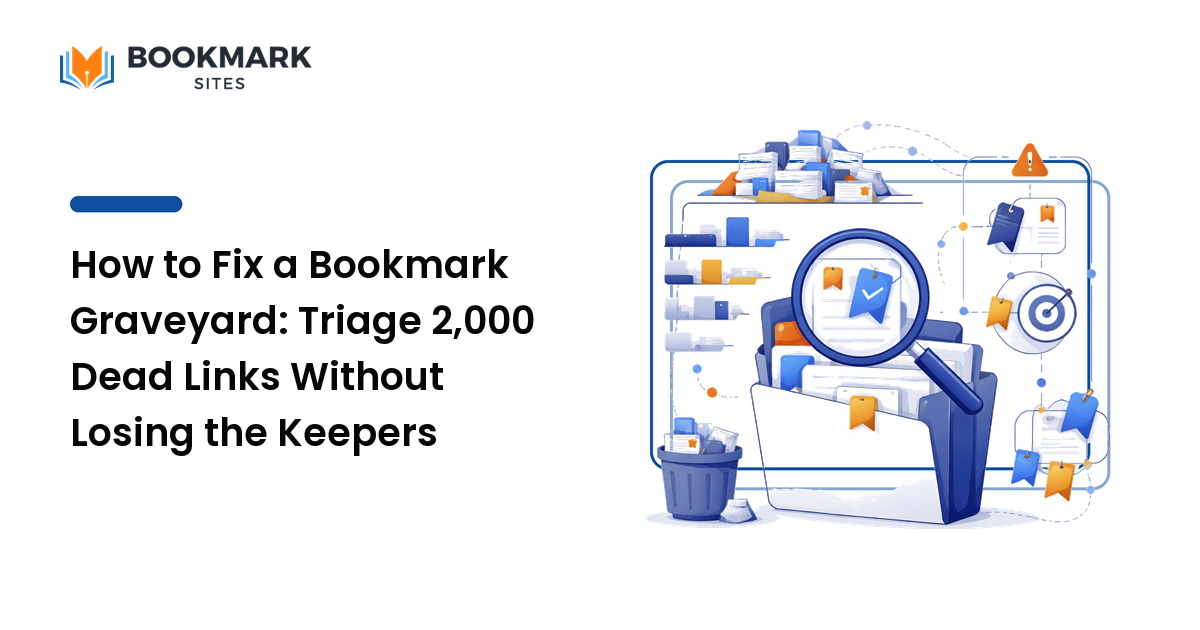
If you have two thousand bookmarks, you effectively have zero. The pile is too big to scan, too stale to trust, and too painful to clean — so you stop opening it and start re-Googling things you already saved. That is a bookmark graveyard, and the worst advice for it is "sort them into folders." You will quit on row forty. This guide gives you a triage method that works precisely because it refuses to touch most of the pile. The key takeaway: don't organize a graveyard — declare bookmark bankruptcy, rescue the tiny minority of real keepers, and rebuild forward.
Why the obvious fix fails
The instinct is to roll up your sleeves and file everything. It fails for three reasons, and understanding them is what makes the alternative work.
First, the value is wildly lopsided. In a neglected pile, the overwhelming majority of links are dead, duplicated, one-time references, or things you'll never reopen. Maybe 3–5% are genuine keepers. Filing all of them means spending 95% of your effort on items with near-zero value.
Second, link rot is silent. Studies of large link collections repeatedly find that a large share of older URLs no longer resolve to their original content — pages move, sites die, articles get paywalled. Much of your "archive" is already broken; you just can't see it from the title.
Third, sunk-cost paralysis. Each bookmark feels like a decision you once made, so deleting it feels like waste. Multiply that hesitation by two thousand and you get a project you start three times and never finish. The cleanup itself becomes the graveyard.
The fix is to stop treating the pile as an archive to be preserved and start treating it as a slush pile to be panned for gold.
The bankruptcy-and-salvage method
This runs in three passes. The whole thing takes 30–60 minutes for a few thousand bookmarks, because most steps are bulk actions, not item-by-item decisions.
Pass 1 — Freeze, don't sort
Make one folder called _archive-YYYY-MM (the underscore sorts it to the top). Move every existing bookmark into it in one action. Your bookmark bar and root are now empty. This is the bankruptcy moment: you're not deleting anything, so there's no risk, but you've psychologically closed the old ledger. Everything new you save from here lives in a clean space and never gets contaminated by the old pile.
This single move is what breaks the paralysis. You no longer owe the graveyard a decision.
Pass 2 — Salvage by retrieval, not review
Do not read through the archive. Instead, pull keepers out by asking what you actually reach for. Open the archive and search it for your real recurring needs — the project name, the tool you use weekly, the reference doc you reopen, the recipe you actually cook. For each hit that's still a genuine keeper, move it out into your clean space and tag it properly on the way out.
Give yourself a hard cap: pull no more than ~50 items in this pass. If you can't think of it as something to search for, you don't need it badly enough to keep it. This inverts the normal process: instead of reviewing 2,000 items to find 50, you name the 50 needs and retrieve them. It's an order of magnitude less work and it self-selects for the links you'll truly use.
Pass 3 — Set the archive to self-destruct
Leave the _archive folder alone, but put a reminder on your calendar 90 days out: "delete _archive-YYYY-MM if untouched." If you haven't reached into it for three months, the contents have proven they're noise. Deleting it then is easy because the evidence is in: you didn't miss any of it. (Cautious? Export the folder to an HTML file first — every browser supports it — and stash that single file. One file is not a graveyard.)
A worked example with real numbers
Take a researcher with 2,140 bookmarks built up over six years.
- Pass 1: All 2,140 move into
_archive-2026-06in about ten seconds. Bookmark bar is now clean. - Pass 2: She lists her real recurring needs — current project ("Helios"), her two go-to stats references, a citation-format cheat sheet, three tool dashboards, a handful of methods papers she rereads. She searches the archive for each. Total retrieved and re-tagged: 38 bookmarks, in about 25 minutes.
- Pass 3: Calendar reminder set for September. When it fires, she's reached into the archive exactly twice for two forgotten items (which she pulled out at the time). She exports the rest to
bookmarks-2026-06.html, deletes the folder, and moves on.
End state: a 38-item working library she trusts, plus one archived HTML file as insurance. She went from 2,140 unusable links to 38 usable ones — a 98% cut — without agonizing over a single deletion.
Common mistakes, and why people make them
- Sorting before salvaging. People organize the archive first "so the keepers are easy to find." But you're spending effort structuring items you're about to discard. Salvage first; only the survivors deserve structure.
- Building a deep folder tree on day one. Elaborate hierarchies feel productive but create a new filing tax on every save, and deep trees hide things. Start nearly flat — tags scale better than folders because one page can carry several labels and surface from any angle. For how tagging beats folders for findability, see the social bookmarking guide.
- Trying to read every link. The graveyard exists because the pile is unreadable; reading it is the trap, not the cure. Retrieval-by-need is the only pass that scales.
- Deleting with no safety net. The fear of losing something real is legitimate, and it's why people freeze. Export-to-HTML removes the fear: you can always reopen the file. Loss aversion is the actual blocker, so neutralize it directly.
- Re-saving without a rule. A clean library refills into a graveyard within a year if nothing changed. The cleanup is wasted unless you also change the saving habit (below).
Edge cases and caveats
- Bookmarks synced across browsers and devices. Do the freeze on the device that holds the master copy and let sync propagate, or you'll fight three copies at once. Confirm sync settled before Pass 2.
- Shared or team bookmark sets. Don't unilaterally archive a collection others rely on. Snapshot it, propose the triage, and keep the old set live until the team migrates.
- Truly irreplaceable links you can't refind. Rare but real — an obscure PDF, a now-deleted thread. When you spot one in Pass 2, pull it and save a copy of the actual content, since the URL itself may rot.
- Read-it-later overflow. A backlog of unread articles isn't a bookmark problem; mixing the two is what bloated the pile. Keep the "to read" queue separate from the "keep and reference" library.
The one rule that keeps it clean: save with an exit
The trick that prevents the next graveyard is to give every save an exit at the moment you make it. When you save a page, decide its lifespan: a reference (long-term keeper, tag it) or a transient (you need it for days, not years — tag it temp or drop it in a _review folder). Then sweep temp/_review once a month and delete on sight. Most graveyards are built from transients that were saved as if they were references. Separate the two at the door and the pile never compounds again.
Frequently asked questions
Isn't deleting bookmarks risky — what if I need one later? That's exactly why you archive instead of delete, then export to a single HTML file before the final cleanup. The 90-day rule turns "what if" into evidence: if you didn't reach for it in three months, you've proven you don't need it. Risk handled.
How long should the whole cleanup take? For a few thousand bookmarks, 30–60 minutes of active work, because the freeze and the archive are bulk actions and salvage is capped at roughly 50 items. If it's taking hours, you've slipped back into reading the pile instead of retrieving from it.
Folders or tags for the rebuilt library? Lean on tags, with only a few broad folders if any. Folders force one home per page; tags let a page surface from several angles and scale far better as the library grows. Keep your tag vocabulary small and reuse it.
What about dead links already in the pile? Ignore them. Chasing broken URLs is wasted effort on items you weren't going to keep anyway. The salvage pass only touches links you actively search for, so dead ones simply never get pulled out.
Should I do this on a phone or a desktop? Desktop. Bulk-moving folders, searching the archive, and exporting to HTML are all faster with a real keyboard and a bookmark manager window. Do the triage once on desktop, then let sync carry the clean result to your phone.
Rebuild a library you'll actually open
A bookmark graveyard isn't a discipline problem — it's a method problem. Stop sorting, declare bankruptcy, salvage the handful of links you truly reach for, and give every future save an exit. Do that and your bookmarks go back to being what they were supposed to be: a short, trusted shortlist instead of a place links go to die.
Ready to rebuild a library you'll actually open? Start fresh and keep only the pages worth keeping with BookmarkSites.