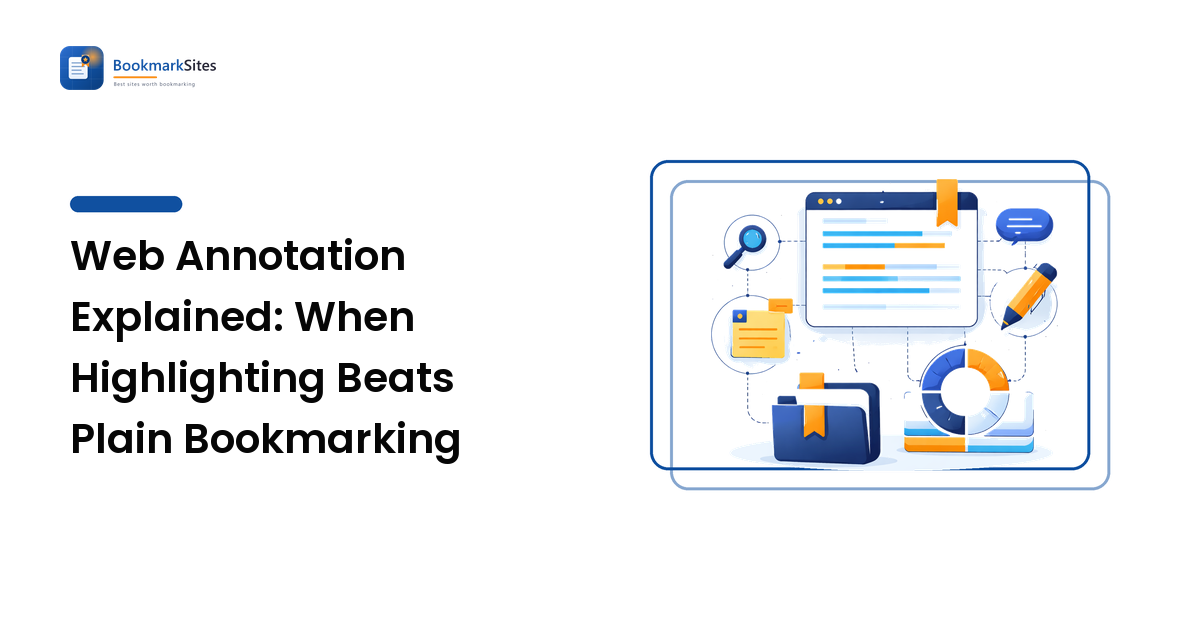
Web annotation means attaching your own highlights and notes to a specific passage on a web page, so the page comes back with your thinking still on it. A bookmark records where a page lives; an annotation records what it said and why you cared. Annotate when the value is in a few sentences; bookmark when the value is in the whole page.
That distinction is the entire decision. The rest of this guide covers how annotation actually works under the hood, the four kinds of tools that do it, how they compare, and the cases where a plain save is genuinely the better call.
What is web annotation, and how does it work?
An annotation is a small record that points at a fragment of a page — a sentence, a paragraph, a figure — and carries something of yours alongside it: a highlight color, a comment, a tag, or all three.
Mechanically, the tool has to solve one hard problem: anchoring. Your highlight isn't stored inside the page — you don't own that server — so the tool records where the text sat (surrounding characters, position in the document structure, the quoted text itself) and re-finds that spot next time. Good tools store several anchors at once and fall back to matching the quoted text if the layout shifts.
That design has a consequence worth knowing before you rely on it: annotations live outside the page, so they can drift. If the publisher rewrites a paragraph or restructures the article, your highlight may fail to re-anchor and get demoted to an "orphaned" note — the text is still saved, but the tool can no longer show you where it sat. This is the same fragility that makes link rot a research problem, and the defense is the same one covered in our guide to building a research library from saved links: keep the quoted text in your own record, not only as a pointer into someone else's page.
There is a shared standard for all this. The W3C's Web Annotation Data Model describes annotations as a body (your note) attached to a target (the fragment), which is why some tools can export or exchange annotations rather than trapping them. Hypothesis is the best-known open implementation of it.
When is annotating better than bookmarking?
Annotate when the page's value is concentrated in a few passages you'll want verbatim. Bookmark when the value is the page as a whole.
Annotation earns its keep when:
- You'll quote or cite the material later, and the exact wording matters.
- The page is long and only two paragraphs are relevant — a bookmark makes you re-skim 4,000 words to find them.
- You're reacting, not just collecting: disagreeing, connecting it to another source, flagging a claim to verify.
- Several people are reading the same document and need to discuss specific lines rather than the article in general.
A plain bookmark is enough when:
- You're saving a tool, dashboard, or reference you'll reopen and use, not read.
- The whole page is the point — a documentation index, a pricing page, a recipe.
- You haven't read it yet. Highlighting requires reading, so unread items belong in a queue, which is the split we cover in read it later vs. bookmarks.
The honest cost is time. A bookmark is one keystroke; annotating is a slower read. That's fine for the ten pages a month that genuinely matter and a bad trade for the two hundred you pass through. Deciding which bucket a page is in before you highlight is most of the skill.
What types of web annotation tools exist?
Four broad approaches, each with a different centre of gravity. None is best in general; they're best at different jobs.
| Approach | What it does | Best for | Main trade-off |
|---|---|---|---|
| Browser built-ins | Highlight or mark up pages with what ships in the browser or its reader mode | Occasional highlights with zero setup | Limited, inconsistent across browsers, poor search across saves |
| Dedicated annotation layers (e.g. Hypothesis) | Anchor notes and highlights to page fragments, optionally public or in groups | Collaborative reading, teaching, open scholarship | Built around the annotation, not around managing a big link library |
| Read-it-later apps with highlights (e.g. Instapaper, Readwise Reader) | Strip a page to clean text, then highlight inside that saved copy | Long-form reading and resurfacing your own highlights | Highlights live in the app's copy; site-specific layouts and interactive pages are lost |
| Clippers into a notes or reference tool (e.g. Zotero, Obsidian Web Clipper) | Capture the page or excerpt into your own notes/reference database | Research you'll cite, or notes you want to own outright | Heavier workflow; you're maintaining a knowledge base, not just saving links |
| Bookmark managers with highlight support (e.g. Diigo, Raindrop.io) | Save, tag, and highlight in one library | Keeping annotations and bookmarks in a single searchable place | Annotation depth is usually shallower than a dedicated tool |
Two questions cut through the list faster than a feature comparison. Where do you want the note to end up — in the reading tool, or in a notes system you already live in? And can you export? Highlights accumulate slowly and hurt disproportionately to lose, so an export path matters more here than for ordinary bookmarks. Both are criteria that drive choosing a bookmark manager generally; annotation raises the stakes on the export one.
How do you make annotations findable later?
Highlights fail the same way bookmarks do: they pile up and nobody revisits them. Three habits fix most of it.
Tag the annotation, not just the page. A single article may hold one highlight that's a statistic and another that's a counterargument. Tagging at the highlight level lets you pull "every stat about X" across dozens of sources. Use the same small, lowercase, reusable vocabulary described in how to tag bookmarks — a highlight tagged stat in one tool and statistics in another is two dead ends.
Write one line in your own words. A yellow stripe on a paragraph records that something mattered, not why. A five-word comment — "counters the adoption claim" — is what makes the highlight searchable by meaning six months on.
Schedule a resurfacing pass. Some tools show you old highlights on a rotation automatically; if yours doesn't, a monthly ten-minute skim does the same job. Highlights you never re-read are a slower version of the graveyard problem plain bookmarks have.
Are public annotations the same as social bookmarking?
They overlap but aren't the same thing. Public annotation shares your commentary anchored to a passage on someone else's page; social bookmarking shares the page itself with tags and a description, as covered in the social bookmarking guide. Annotation is a conversation about a document; bookmarking is a signal about a URL.
One point worth being blunt about, because it gets oversold: links inside public annotations and social bookmarks are typically marked nofollow, and platforms that allow them at all are heavily moderated. Treat public annotation as a way to reach the people who read that document, and to build a visible public record of your reading — not as an SEO tactic. Nobody should promise you ranking outcomes from it.
Frequently asked questions
Does web annotation change the page for other people? No. Your highlights are stored by your annotation tool, not written into the publisher's page. Other visitors see nothing unless you deliberately publish the annotation on a platform that supports public or group layers, and even then they need that layer enabled to see it.
What happens to my highlights if the page changes? The tool tries to re-anchor using the quoted text and surrounding context. If the passage was edited or removed, the annotation is usually kept as an orphan — you still have your saved text and note, but not its position on the page. This is exactly why you should keep the verbatim quote in your own record.
Can I annotate PDFs and not just web pages? Often, yes. Several annotation layers and reference tools handle PDFs alongside HTML, which matters for research where sources arrive in both formats. Check specifically whether PDF highlights export in the same form as web highlights before you commit a project to one tool.
Should I annotate everything I save? No. Annotation is for pages whose value sits in specific passages you'll reuse. Most saves are reference links you'll reopen whole, and slowing every save down with highlighting is how people abandon the habit entirely. Ten well-annotated pages beat two hundred striped ones.
Do highlights replace notes? Not on their own. A highlight captures someone else's sentence; a note captures your thinking about it. The pairing is what survives — the quote so you can cite it accurately, and one line of yours so you remember why it was worth keeping.
Save the passage, not just the page
Bookmarking answers "can I get back to this?" Annotation answers "what did it actually say, and what did I think about it?" Most collections need both: a fast save for the many pages you'll reopen whole, and a slower, annotated read for the few whose value lives in a paragraph. Pick a tool you can export from, tag at the highlight level, and write one line in your own words — that's what turns highlights into something you'll still be using next year.
Ready to keep the passages that matter alongside the pages? Explore tools built for highlighting and notes at BookmarkSites.