You see a long article you don't have time for, hit "save for later," and feel a small flush of relief — handled. Six months on, "later" holds 600 unread pieces you haven't opened in weeks, and the relief has curdled into low-grade guilt. The save button became a way to avoid reading rather than schedule it.
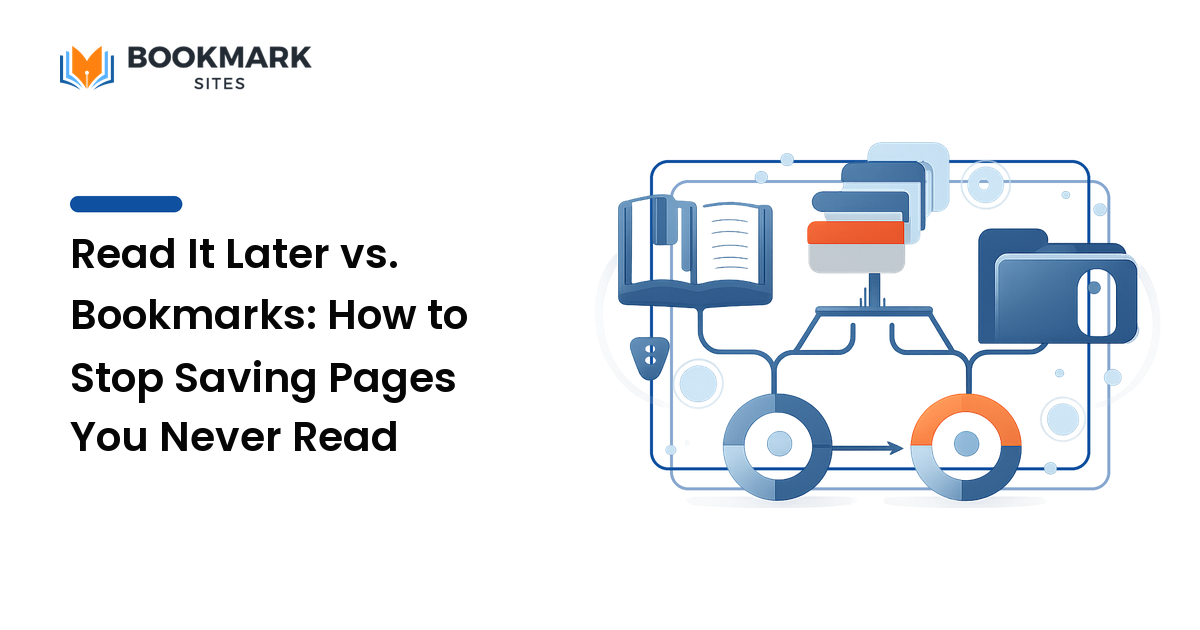
The takeaway up front: read it later and bookmarking are two different tools for two different jobs, and mixing them is what creates the unread pile. Read-it-later is a short-lived queue for things you intend to consume soon; bookmarking is a long-term library for things you'll want to find again. The whole read-it-later vs. bookmarks question comes down to that split: decide which one you're doing at the moment you save, and your queue stays short and your library findable — instead of both rotting into one heap you avoid.
The core difference: a queue vs. a library
It comes down to lifespan and intent.
A read-it-later queue is temporary by design. You're saying I want to read this, just not right now — the page's job is to be consumed, and once you've read it, it's done. A healthy queue is short, turns over, and ends up empty.
A bookmark library is the opposite. You're saying I'll want this again — a reference doc, a tool you reopen, an article you cite. Its value is that it persists, so its natural state is growing but organized, findable months later.
Confusing the two is the root error. Dump "read soon" articles into the same place you keep "reference forever" links and the queue becomes an archive of intentions — and you can't read an archive, so you stop opening it.
| Read-it-later queue | Bookmark library | |
|---|---|---|
| Intent | Consume soon | Find again |
| Lifespan | Days to weeks | Months to years |
| Healthy size | Short, turns over | Grows, stays organized |
| End state | Empty | A trusted, tagged reference |
| Organized by | Freshness | Tags and topics |
Why your "save for later" pile became a graveyard
The unread queue fails in a predictable way, and naming the pattern is the first step to fixing it.
Saving feels like progress, so you over-save. Hitting "later" gives you the satisfaction of dealing with something without the effort of reading it — and because it's nearly free, you do it far faster than you'll ever read. With no expiry, nothing forces a decision: the newest saves bury the older ones, the older ones age into irrelevance, and a read later list that only grows isn't a queue, it's a landfill.
Then the guilt seals it. Once the pile is big enough to feel like a chore, opening it becomes a reminder of everything you haven't done — so you don't open it, which lets it grow. This is the same dynamic that turns saved bookmarks into an unusable pile; the cleanup method for that is its own job, covered in how to fix a bookmark graveyard. The fix here isn't willpower — it's separating the two jobs at the moment of saving, and giving the queue an exit.
When to use read-it-later
Reach for the queue when the page is something you want to consume, soon, and probably once:
- Long-form articles and essays you'd read now if you had twenty minutes.
- News and timely pieces worth reading this week and stale next month.
- Things you'll read on another device — saved at your desk, read on the couch or commute, often offline.
The honest test: Am I saving this because I want to read it, or because I want to feel like I'll read it? If it's the second, close the tab. A page you wouldn't read in the next two weeks is one you'll never read; saving it just moves the guilt somewhere roomier.
When to bookmark instead
Reach for the library when the page's value is in retrieval, not consumption:
- References you'll reopen — documentation, a pricing page, a style guide, a dashboard.
- Things tied to ongoing work — sources for a project, a client's site, a brief you'll revisit.
- Keepers you've already read, plus anything you'd be annoyed to re-find from scratch.
The library's job is findability, so the moment of saving is also the moment to tag. Add two to four plain, reusable labels so the page resurfaces later from any angle. A bookmark with no tag in a big library is nearly as lost as an unread article in a long queue.
The workflow: split at the door, drain on a schedule
The whole system is deliberately small, because one you won't keep using is worse than none.
-
Decide as you save. Before you click anything, ask one question: consume soon, or keep for reference? That single fork sends the page to the right place and is the whole discipline — almost every pile-up traces back to skipping it.
-
Keep the queue genuinely short. Treat read-it-later like an inbox, not an archive. Set a rough ceiling — climb past, say, 30 items and you're saving faster than you read, so bulk-clear the oldest. Saves you skipped for weeks have already told you the answer.
-
Give the queue a recurring drain. Block a regular slot — a commute, a coffee, fifteen minutes on a Sunday — to read from the front. A queue with a standing appointment turns over; one you visit "when you get to it" never does.
-
Promote the keepers, bin the rest. Finish something worth keeping? Move it into your bookmark library and tag it — the keeper graduates from queue to reference. Everything else gets marked read and cleared, so the queue only holds the unread.
-
Run a ruthless monthly sweep. Once a month, archive or delete anything older than a few weeks you haven't touched. This isn't failure; it's maintenance — if you haven't read it in a month, you've proven you won't, and clearing it costs nothing but the illusion that you would have.
Picking tools without overcomplicating it
You don't need three apps — you need two clearly separated spaces, which can even live in one tool if it lets you mark things read or move keepers into a separate collection. For the queue, value a clean reading view, offline access, and a fast "mark read / archive" action; the easier it is to clear an item, the healthier the queue stays. For the library, value tagging, search, and cross-device access, so keepers are findable from anywhere instead of trapped in one browser — which is where an account-based home beats built-in browser bookmarks.
FAQ
Why do I never read my "save for later" list? Because saving feels like progress, so you save far faster than you read, and a queue with no deadline exerts no pull to actually read it. Once it's big enough to feel like a chore, you avoid it, which lets it grow. The fix is keeping the queue short, giving it a recurring reading slot, and clearing old items on a schedule.
How do I clean up a read-later list that's already huge? Don't try to read your way out of it. Bulk-clear or archive everything older than a few weeks — those saves already proved you won't read them — and keep only the recent handful you genuinely intend to read this week. Promote any real keepers into your bookmark library, then let the monthly sweep keep it from rebuilding.
Are read-it-later pages saved offline? Often, yes — storing a clean, readable copy for offline access is a main strength of dedicated read-it-later tools, which is exactly why they beat a plain bookmark for reading on a flight or with no signal. The trade-off is that a saved copy can drift from the live page, so for references you'll cite, a bookmark to the source is more durable.
Save with intent, not guilt
The unread "read later" pile isn't a discipline failure — it's a category error: you were using a short-term reading queue as a long-term storage bin, so it could never empty. Split the two jobs at the moment you save — consume soon to a short queue you drain on a schedule, keep for reference to a tagged library you can search — and saving goes back to being useful instead of a quiet source of guilt.
Ready to give your keepers a findable home instead of a pile you avoid? Build an organized, searchable reference library you actually own with BookmarkSites.