Every few years, a service that a lot of people trusted with their saved links stops existing. Delicious — once the default home of social bookmarking — was sold, rebuilt, and eventually wound down. Pocket, the read-it-later app that shipped inside Firefox for years, was shut down by Mozilla in 2025, leaving a lot of people with an export file and no obvious place to put it. Nobody who used either of them did anything wrong. The service just ended.
The takeaway up front: self-hosting your bookmarks buys you exactly one thing — the service can't be discontinued out from under you — and it charges for that in maintenance. If you'd genuinely rather spend twenty minutes a quarter on upkeep than lose your library to a shutdown, it's a good trade. If that upkeep will quietly stop happening after month three, a hosted tool with a clean export is the safer choice. This guide is about telling those two situations apart honestly, before you install anything.
What "self-hosted bookmarking" actually means
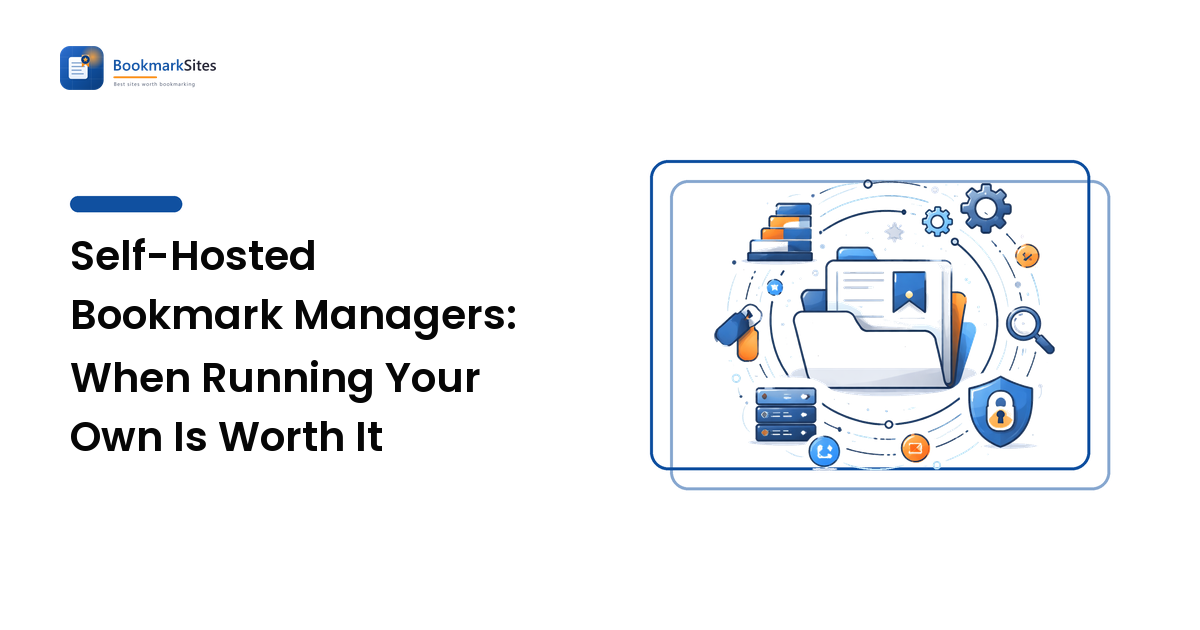
A self-hosted bookmark manager is software you run yourself — on a home server, a spare mini PC, a NAS, or a small rented virtual machine — instead of signing up to someone else's website. You get a web interface that looks much like a hosted manager: a bookmarklet or browser extension to save pages, tags, search, and often a full-text archive of the page contents.
The category splits into three shapes worth keeping straight:
- Link managers store the URL, title, tags, and notes. Lightweight, quick to run, small database.
- Archivers additionally save a copy of the page itself — the readable text, sometimes a full snapshot with images. This is the feature that survives link rot, and it's also the one that eats disk space.
- Read-it-later servers focus on a clean reading queue with offline access on mobile, closer to what Pocket did than to a filing cabinet.
Names you'll meet in this space include Linkwarden, Karakeep (formerly Hoarder), Wallabag on the read-later side, Shiori and Shaarli at the minimal end, LinkAce for tag-heavy link libraries, and ArchiveBox when full page snapshots are the point. There's also a middle path a lot of people miss: Floccus, a browser extension that syncs your ordinary browser bookmarks to storage you control, such as a WebDAV share or a Nextcloud instance. That gets you ownership without running an application at all.
The four things self-hosting genuinely gives you
Be specific about the benefits, because the vague version ("privacy!") leads people into projects they abandon.
1. Nobody can retire your library
This is the real prize. A hosted service can shut down, get acquired, change its pricing, or drop the one feature you depended on. Software running on your own machine does none of those things on someone else's schedule.
2. Full-page archives, not just links
Saved links rot. Sites get redesigned, articles move behind paywalls, and small blogs disappear entirely. An archiving self-hosted tool stores the readable copy at the moment you saved it — so the reference you cited in a project is still there in three years. If you've ever worked through the mess described in our guide to fixing a bookmark graveyard, you'll know how much of that pain is dead links rather than disorganisation.
3. Your reading list stays yours
Your bookmarks are an unusually revealing dataset: health questions, job hunting, legal research, what you're buying. Self-hosting means that list isn't an asset on someone else's balance sheet.
4. It bends to your workflow
Most of these tools have an API. If you want saved links to flow into your notes app, or a script to tag everything from a given domain, you can build it. Hosted tools give you whatever integrations they've decided to build.
What it actually costs you
Here's the part that gets skipped in enthusiastic write-ups.
Setup time. Realistically, an evening for a first-timer. Most of these projects ship a Docker Compose file, which does a lot of the work, but you still need somewhere to run it and a way to reach it.
Updates, forever. Anything exposed to the internet needs patching. Container images update; databases occasionally need a migration; a release now and then breaks something. Budget a short maintenance window every month or two, indefinitely.
Backups — the step everyone skips. Self-hosting moves the risk rather than removing it. A dead SSD with no backup loses more than a service shutdown ever would, because a shutdown at least comes with a warning and an export button. You need an automated backup of the database and the archive directory, stored somewhere other than the machine itself, and you need to have restored it once to know it works.
Mobile access. On your home network it just works. From a café it doesn't, until you solve remote access — a VPN or an overlay network like Tailscale is the low-risk route; publishing publicly means handling TLS certificates and authentication too.
Fewer polished edges. Mobile apps, share-sheet integrations, and browser extensions in this space are functional rather than luxurious. Capture friction is the number one predictor of whether a bookmarking system survives contact with real life — a point we make in how to choose a bookmark manager — and it applies with double force here.
A decision checklist
Score yourself honestly. Four or more "yes" answers and self-hosting is likely to stick.
- Do you already run something else on a home server or NAS — media, files, notes — so this is one more container rather than a whole new hobby?
- Do you have a backup routine that already runs automatically for other data?
- Is page archiving — keeping the content, not just the URL — something you actually need, for research or citation?
- Are you comfortable reading a
docker-compose.ymland editing an environment variable? - Have you been burned by a shutdown or a pricing change before, and did it genuinely cost you?
- Do you save enough — thousands of links, not dozens — for the library to be worth infrastructure?
If you scored two or below, the honest recommendation is a hosted manager with a real export format, plus a scheduled export you keep. That's most of the ownership for a fraction of the work.
A middle path worth considering
You don't have to choose between "someone else's cloud" and "my own server". Two hybrids cover a lot of people:
- Browser bookmarks plus a sync target you own. Floccus with WebDAV or Nextcloud keeps you in the browser UI you already use while the data lives on your storage.
- Hosted tool plus disciplined exports. Pick a manager with an open export (HTML or JSON), and put a recurring reminder in your calendar to export and file the result alongside your other backups. Our guide to backing up and moving bookmarks covers the mechanics for each browser and most managers.
The second option is unglamorous and remarkably effective. The people who lost the least when Pocket closed were the ones with a recent export.
If you go ahead: a sane first setup
- Start on hardware you already have. A mini PC or NAS at home is fine. Don't rent a server for a trial.
- Run one tool, not three. Pick the shape you need — link manager, archiver, or read-later — and resist the urge to compare them all at once.
- Import a subset first. Bring in a few hundred links, not your whole export, and live with it for two weeks before committing.
- Set up the backup before the import, so there's never a version of your library that isn't covered.
- Solve remote access with a VPN or overlay network before you consider exposing anything publicly.
- Write down what you did. Three months from now, when an update fails, the notes are what stop you giving up and losing the library anyway.
FAQ
Is a self-hosted bookmark manager more private than a hosted one?
More private in the sense that the list of what you save isn't held by a company — which is a genuine difference. It isn't automatically more secure: a self-hosted service left unpatched and exposed to the internet is worse off than a well-run hosted one. The privacy gain is real; the security is your job.
Do I need Docker to self-host bookmarks?
For most current tools, it's the easiest supported path, and container images are what the projects test against. Some can be installed directly, and some NAS operating systems provide an app catalogue that hides most of the complexity. If neither appeals, syncing browser bookmarks to your own storage is the no-server alternative.
What happens to my links if the open-source project stops being maintained?
Better than with a shutdown, but not without cost. Your existing installation keeps running, and the data stays in a database you can export. What stops is security patching, which eventually means you shouldn't leave it exposed. Before adopting a project, check that development is recent and that a documented export exists — the export is what makes leaving possible.
Can I self-host and still use bookmarks on my phone?
Yes, with a caveat. Most of these tools work as a mobile web app and some have companion apps, but you need remote access sorted first. Saving from a phone usually goes through the share sheet into that app or web page — test that specific flow early, because if saving on mobile is awkward, you'll stop saving.
Ownership is a habit, not a server. Whether you run your own archive or keep a hosted tool with clean exports, decide deliberately rather than by default — then compare the self-hosted and open-source bookmarking tools on BookmarkSites to find the one that matches how you actually save.